
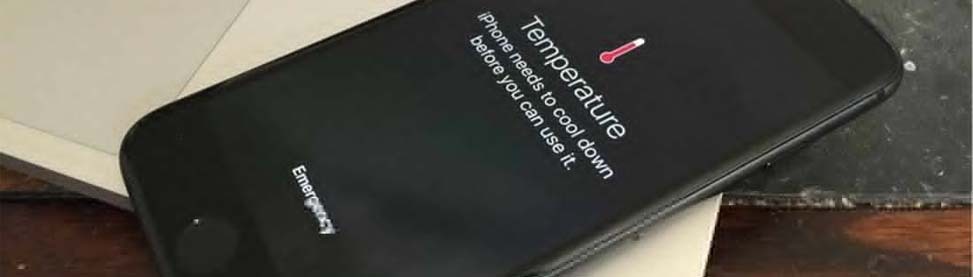
You are right in the middle of a game or watching a video when suddenly your iPhone feels like a hot potato in your hand. The screen gets dim, the whole phone starts to slow down, and you get that scary warning message saying your iPhone needs to cool down. It is incredibly frustrating when your technology lets you down right when you actually need it most. Honestly, it can feel like your phone is about to melt through your palm.
A hot phone is more than just an uncomfortable thing for you to hold during your day. Heat is actually the number one enemy for the long-term health of your battery. If your iPhone stays hot for too long, it can actually cause permanent damage to the internal parts. This guide will help you understand why your phone is acting like an oven and what you can do to chill it out. We’ll also point out the signs your iPhone needs professional repair. You can also visit CellPhones4Sure any time if you need an iPhone repair.
Your Phone Feels Hot While Charging
It is really annoying to plug your phone in and find it sizzling just twenty minutes later. This usually happens because of fast charging or because you are using a low-quality charging cable. When power moves into the battery very quickly, it naturally creates a lot of heat. If you use a cheap knock-off cord from a gas station, it might not have the right safety chips to manage that power correctly.
The Fix:
- You should take the case off while charging so the trapped heat can finally escape.
- Only use official Apple-certified cables and charging blocks for your device.
- Stop using the phone for heavy tasks like gaming while it is still plugged into the wall.
The Screen Dimmed, and Everything Is Lagging
You might be outside on a beautiful sunny day, and your phone starts acting like it is moving through heavy molasses. This happens because direct sunlight and high screen brightness are a very bad combination for electronics. Your screen generates its own heat, and the sun adds way more on top of that. Your iPhone will slow itself down to keep the internal parts from melting.
The Fix:
- You need to get your phone out of the sun and into the shade immediately.
- Slide your finger down and turn your screen brightness way down in the Control Center.
- Turn off the “Always On Display” feature if your specific iPhone model has that option.
The Battery Is Draining Fast and Staying Warm
Sometimes you haven’t even touched your phone, but it still feels warm while sitting in your pocket. This is often caused by rogue apps or a feature called Background App Refresh. Some apps keep working even when you are not actively using them on your screen. They search for your location or download data, and that keeps the processor running constantly.
The Fix:
- Go to your settings and turn off Background App Refresh for apps you do not need every day.
- Look at your battery settings to see exactly which app is hogging all of your power.
- Turn on Low Power Mode because it stops most of that unnecessary background activity.
Your Phone Got Wet, and Now It Is Hot
You might have dropped your iPhone in the sink or the pool, and now it is heating up. This is a major red flag that you should not ignore for even a minute. Water damage causes “shorts” on the logic board inside the frame of your phone. Electricity is going where it should not go, and that creates intense heat very quickly.
The Fix:
- You must turn the phone off right away and keep it off.
- Do not try to plug it into a charger to see if it still works.
- Do not put it in a bowl of rice because that is a myth that does not actually work.
- Bring it to CellPhones4Sure as fast as you can for a professional cleaning.
Common Habits Shortening iPhone Battery Life
| Bad Habit | Why It Is Bad | Better Way |
| Leaving it on the car dashboard | The sun cooks the battery | Keep it in the shade or a cup holder |
| Using “Fake” chargers | They lack surge protection | Use official or certified brands |
| Letting it die to 0% | Puts stress on the battery cells | Keep it between 20% and 80% |
| Heavy gaming in a thick case | Traps heat against the glass | Remove the case during long sessions |
The Risks of DIY Battery Work
You might see a very cheap battery online and think you can swap it out yourself. Well, you really need to be careful because iPhones are held together with strong glue and tiny ribbons. The risks of DIY battery work are not worth it. If you accidentally puncture a lithium battery while trying to pry it out, it can catch fire or even explode. Also, if you do not use a high-quality part, your phone might display “Unknown Part” messages. Professional cell phone repair is much safer than risking a chemical fire in your own living room.
Get Your iPhone Fixed Today
If your iPhone is constantly overheating, please do not just ignore the problem. Heat will eventually destroy the electronics inside your device if you let it keep happening. Whether you need a fresh battery or a look at water damage, the team at CellPhones4Sure is here to help. We can get your phone running cool and fast again so you can get back to your day.
Reach Out To Us Today!
FAQs
Why is my iPhone getting hot so fast?
Usually, it is because too many apps are running at once, or the phone is in a hot environment. High brightness and constant GPS usage are the most common causes for a quick temperature jump.
Is it normal for an iPhone to get warm while charging?
Yes, a little bit of warmth is normal, especially if you are using a fast charger. However, it should never be too hot for you to touch comfortably with your bare hands.
Can a software update fix overheating?
It actually can! Apple often releases updates that fix glitches that make the processor work way too hard. You should always try to keep your iOS version up to date.
What to do if your iPhone gets wet?
You should immediately turn it off. Don’t try to use it. Bring it to us as soon as possible. We’ll take care of it!
How do I know if my battery is worn out?
Go to your settings and look at the Battery Health section to see the capacity. If your maximum capacity is below 80%, your battery is old and will likely cause the phone to run hot.
Visit us at one of our two convenient locations:
CellPhones4Sure – Plano
Call us for a quote or just stop by our shop today!
CellPhones4Sure – Richardson
We offer fast repairs to get you back on your way quickly!