
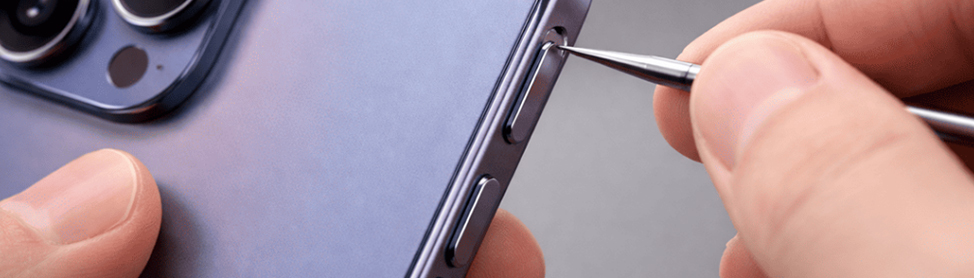
A stuck button can interrupt everything you do on your iPhone. You try to lock the screen, change volume, or go home, yet the device does not respond the way it should. Instead, you feel delay, resistance, or random behavior.
Most of the time, physical wear or internal damage causes trouble. Because buttons connect to sensitive hardware, technicians at CellPhones4Sure who perform iPhone button repair can usually correct the fault quickly and prevent larger failures.
Why iPhone Buttons Get Stuck
You press your buttons many times every day. Gradually, pocket lint, skin oils, tiny drops, or accidental bumps affect the moving parts. As debris builds or alignment shifts, the switch cannot travel normally anymore.
If you keep pressing harder, you increase the strain on the cable underneath. That pressure may tear connectors or bend brackets. For this reason, specialists at an iPhone repair store often open the phone, clean the area, and restore smooth movement before the condition worsens.
Common Signs Your Button Needs Attention
Your phone gives consistent feedback when everything works correctly. The click feels sharp, and the response happens instantly. Therefore, when that rhythm changes, the hardware inside likely starts to fail.
Maybe the button reacts after several tries. Maybe the phone changes volume by itself. These warnings usually mean a professional who offers iPhone repair services should check the internal components and stop further damage.
- Delayed response
- No click feeling
- Uneven height
- Random activation
- Need for extra pressure
What Happens Inside a Button
A small dome switch sits under the outer key. When you press it, the dome collapses and sends a signal through a flex cable to the board. Accurate alignment keeps this action quick and reliable.
However, drops or dirt interrupt that pathway. The signal becomes weak or inconsistent. Because technicians understand these tiny systems, a repair service can safely access the area and correct the fault without harming nearby parts.
Stuck Home Button Issues
You use the Home button for important commands such as unlocking, multitasking, or returning to the main screen. When it sticks or loses sensitivity, the daily performance of your device becomes slow, and you can become frustrated very quickly.
If you force repeated presses, you risk damaging sensors or tearing the attached cable. A professional repair service can inspect the bracket, secure the connection, and restore proper travel while protecting essential features.
Power Button Not Responding
The power button allows you to sleep, wake, or restart the device. When it fails, you lose quick control, especially during freezes or emergencies. You may also notice faster battery drain because the screen stays active.
Continued pressure can weaken the internal line and chip further. Technicians who handle iPhone button repair can open the phone, test electrical continuity, and replace worn parts so the button responds normally again.
Volume Button Malfunctions
Volume keys should react with one light touch. When sound levels jump without input or refuse to change, something inside the frame usually blocks correct movement.
If you ignore the issue, the malfunction can spread to other side controls. A repair specialist can disassemble the section, clean contamination, and repair or replace the damaged switch.
Why DIY Fixes Often Fail
You might see online advice that suggests cleaning from the outside or opening the phone yourself. Although the steps may look easy, internal layouts remain tight and delicate.
One wrong move can rip cables, crack the display, or short the board. Because professionals in an iPhone repair store use proper tools and procedures, service usually solves the root problem without creating new ones.
Quick Comparison of Button Problems and Fixes
| Problem | What You Notice | Risk If Ignored | Typical Professional Fix |
| Dirt or debris | Sticky or slow press | Faster internal wear | Internal cleaning |
| Frame shift | Uneven position | Cable damage | Realignment |
| Flex failure | No response | Loss of features | Replacement |
| Moisture | Random commands | Corrosion spread | Cleaning or swap |
| Dome wear | Weak click | Full failure | Switch repair |
Temporary Things You Can Try First
While waiting for help, you can attempt a few safe adjustments. These steps may improve usability briefly, but they rarely remove the mechanical cause.
Restart the device to rule out software confusion. Remove the case in case it presses on the key. You can also turn on AssistiveTouch, yet remember that a technician will still need to repair the hardware.
When You Should Seek Help Immediately
Certain symptoms signal urgent attention. If the phone overheats near the button or reacts without touch, internal short circuits may be present. Liquid exposure also requires fast action.
Delays increase corrosion and make restoration harder. Therefore, professional iPhone repair services should inspect the device promptly to protect the motherboard and surrounding components.
How Technicians Repair Stuck Buttons
A specialist begins by confirming how the button behaves. After that, the technician opens the device carefully and examines alignment, screws, and flex routing.
Next, the expert cleans debris, replaces worn parts, and reassembles the phone. Final testing ensures proper click pressure, accurate response, and stable performance.
Benefits of Visiting a Repair Specialist
Professional service focuses on precision and safety. Instead of guessing, you receive targeted work based on inspection and testing.
This approach prevents repeat failures and keeps surrounding hardware intact. As a result, your phone feels reliable again.
How to Prevent Future Button Problems
You can reduce risk by handling the device gently and keeping it clean. Small habits protect internal switches from unusual wear. When you press buttons with controlled pressure and keep dirt away from openings, you help the mechanism last longer.
Use a protective case, avoid moisture, and seek inspection after hard drops. If a button starts to feel different, quick action prevents deeper hardware trouble. Technicians at CellPhones4Sure can check alignment, clean internal parts, and handle iPhone button repair before the damage spreads.
If your phone already shows warning signs, bring it in for a professional look. A short visit today can save you from major repairs tomorrow.