
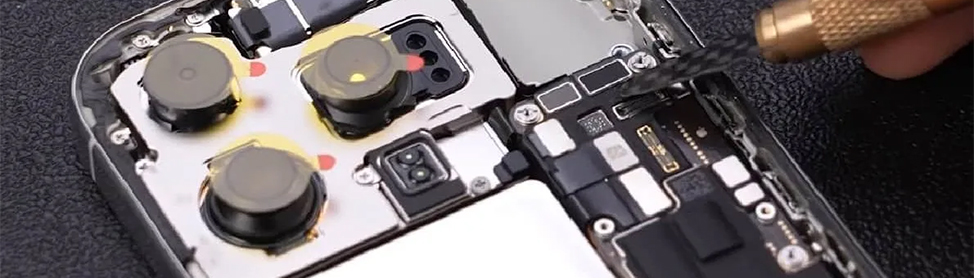
That sinking feeling when your phone screen suddenly goes black is honestly the absolute worst. You might start to notice a faint metallic smell. Or feel the back of the device getting way too hot. Usually, that means you are dealing with a serious electrical issue known as a short circuit.
Basically, a short circuit happens when electricity starts flowing where it really should not go, instead of following the neat little paths on the motherboard. The power jumps the tracks and causes chaos. This can happen because of water damage, a cheap cable, or even just a hard drop on the floor. It is definitely frustrating. But you really do not need to panic quite yet.
Here is a simple guide on what to do. What you can actually try at home, and when it is time to call in the professionals at CellPhones4Sure.
What Actually Causes a Short Circuit?
You really have to understand what you are up against before you try to fix anything yourself. Usually, the trouble comes down to three main things that happen to phones every single day.
1. Liquid Damage
This is probably the most common way that people end up frying their expensive devices. You might drop your phone in the sink. Or accidentally spill a sugary drink right onto the screen. Even a tiny drop of water can connect two metal parts that were never supposed to touch each other. This creates a sudden surge that fries the internal parts of the phone almost instantly.
You should know that the old rice trick does not actually work for a true short circuit. The water might eventually dry out. But it leaves behind tiny mineral deposits that keep causing problems for the hardware.
2. Physical Impact
If you drop your phone hard enough, the delicate parts inside can shift out of their original place. Small metal shields or tiny pins can bend and touch the main motherboard in ways they should not. If your phone started acting up right after a drop, it is very likely that you have a physical short. This type of internal structural damage is usually fixed by a professional repair service to ensure the device stays safe.
3. Low-Quality Charging Accessories
We all want to save a few dollars, but those super cheap gas station cables are actually quite risky. They do not regulate the flow of power very well at all compared to the original chargers. A sudden spike of electricity can blow a sensitive power management chip deep inside your phone.
What You Should Do Right Now
If your phone is currently getting hot or making a strange popping sound. You need to act very fast.
First, you should power the device down immediately to stop the flow of electricity through the broken parts. If the screen is still on, just hold the power button until the whole thing goes dark. Next, you want to remove the case. Because cases tend to trap heat when the battery is struggling. You should also unplug the phone from the wall outlet as soon as you possibly can. Charging a shorted-out phone is a major fire risk that you definitely want to avoid at all costs.
Whatever you do, please do not keep trying to force the phone to turn back on repeatedly. Every time you hit that power button. You are sending electricity through a broken and damaged circuit. You could very easily turn a small, cheap fix into a total loss for your entire device.
When Can You Actually DIY?
Modern smartphones are incredibly complicated machines that are packed with strong glue and tiny microscopic parts. Still, there are a few low-risk things that you can check on your own before you spend any money.
Check your charging cable first. Sometimes the short circuit is not actually in the phone, but is located inside the charging cord itself. You should try using a brand-new, high-quality cable and a completely different wall outlet to see if that works. If the phone starts charging normally after that, you just saved yourself a lot of time and unnecessary trouble.
Clean out the charging port. Believe it or not, simple pocket lint is a very common and sneaky problem for most phone owners. If enough junk gets stuck in the charging port, it can bridge the pins and cause an electrical error. You can take a plastic toothpick and very gently clear out the debris from the bottom of the port. Do not use metal tools because a metal needle can actually cause a short while you are trying to fix one.
The Risks of Opening Your Own Phone
This is where things get a little bit tricky for the average person who is not a technician. If the electrical problem is deep inside the phone, opening the casing yourself is a massive gamble for your data.
One tiny slip of a metal tool can puncture the battery and cause it to catch on fire. You could also very easily snap a tiny ribbon cable that controls your screen or your front-facing camera. Furthermore, if you try to dry out a phone with a hairdryer, you might melt the delicate internal seals. Because of how sensitive these parts are, this level of damage is usually fixed by a professional repair service. These shops have the right high-end microscopes and specialized tools that are required for the job.
When to Bring it to CellPhones4Sure
There is a certain point where trying to fix it yourself actually makes the situation much worse than before. We see this happen all the time at CellPhones4Sure when people bring in their half-opened devices for us to finish. Someone might try to pry the screen off and end up cracking the glass or tearing a vital sensor.
You should definitely stop what you are doing and get professional help if you notice any of these signs:
- The phone feels physically hot even when you are not using it for anything.
- You smell something burning or see a small puff of smoke coming from the port.
- The phone went into salt water or a sticky soda that can corrode the parts.
- The phone vibrates or makes sounds, but the screen stays completely black no matter what.
Conclusion
A short circuit feels like a total disaster, especially if your precious photos have not been backed up recently. But you should remember that it does not necessarily have to be the end of your phone life. Just try to stay calm and recognize when a repair job is outside of your personal comfort zone. If a new cable does not fix the issue, do not risk further damage by poking around inside.
Taking the device to a professional is always the safest bet for getting your digital life back on track. It ensures that the root cause of the problem is found without making the internal damage even worse.