
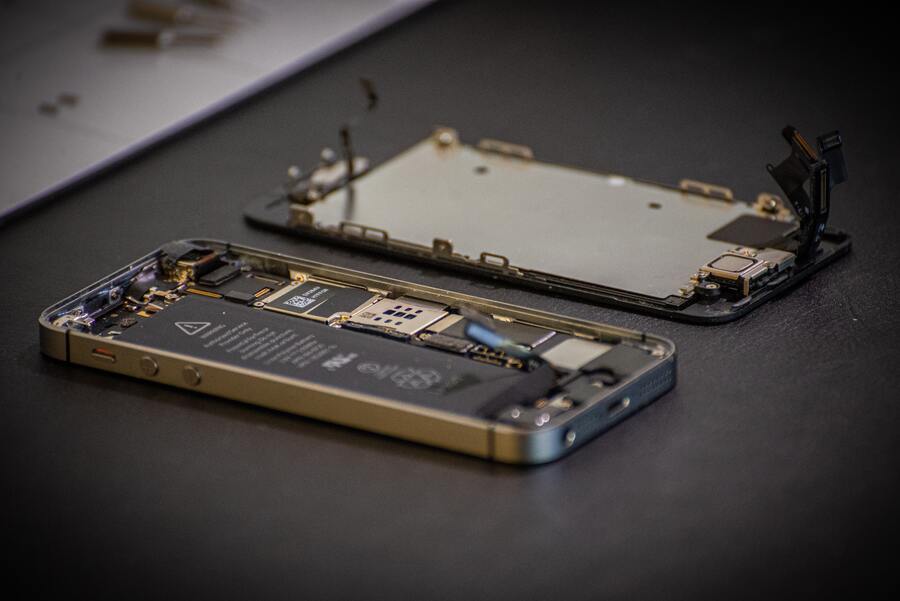
Your iPhone handles everything: calls, work, photos, navigation. So when it starts randomly restarting, freezing, or refusing to turn on, it is stressful. A software update sometimes fixes it. But when the problem keeps coming back, the issue may be physical, specifically, the motherboard.
The motherboard is the central circuit board inside your iPhone. Every function passes through it. When even one small part of it fails, symptoms can appear across the entire phone.
At CellPhones4Sure, we handle these problems daily through iPhone repair services, including board-level repairs on-site.
What Causes iPhone Motherboard Failure
1. Hard Drops and Physical Impact
Dropping your phone sends a shockwave through all internal components, even if the screen looks fine. This can create microfractures in the circuit board that are invisible to the eye but large enough to break electrical connections.
Symptoms may not appear immediately. Some phones work fine for days after a drop before the damage begins showing.
Signs to watch for: Random restarts, Face ID or Touch ID suddenly failing, apps crashing without warning.
2. Liquid Damage
Water is the most destructive thing that can reach a motherboard. Even water-resistant iPhones are not fully waterproof, and that resistance weakens as the phone ages.
When liquid reaches the board, it triggers corrosion on the tiny connectors and contact points. That corrosion creates electrical shorts that spread over time. This is also why the rice trick does not work: rice dries surface moisture, but does nothing to stop internal corrosion that is already progressing.
Signs to watch for: Charging issues, distorted audio, camera not functioning, and random shutdowns.
For immediate steps after your phone gets wet, read our guide on what to do if your iPhone gets wet. Acting fast makes a real difference.
3. Excessive Heat
Leaving your phone in a hot car or running heavy tasks for long periods causes internal components to repeatedly expand and contract. Over time, this weakens the solder joints that hold chips to the board. When a joint cracks, that chip loses its stable connection.
Signs to watch for: Phone gets hot during light tasks, battery drains unusually fast, and unexpected shutdowns with charge remaining.
4. Dust and Debris
Fine dust enters through ports over time, settles on the motherboard, and traps heat against components. In humid conditions, it also traps moisture. The result is gradual degradation rather than sudden failure.
Signs to watch for: Progressive slowdown over weeks or months, phone running hotter than it used to.
Warning Signs Your Motherboard Is Struggling
- Random restarts with no consistent trigger happen during calls, while idle, or while charging
- Face ID or Touch ID stops working with no physical damage to the sensor
- Phone not recognized when connected to a computer or iTunes
- No service signal in areas where others have full bars
- Charging works sometimes, but not others, when the cable and port have already been ruled out
- Phone freezes on specific actions, and certain functions cause a complete lockup
- A black screen that does not respond to any button combination or charging
What To Do Right Now
Turn the phone off immediately. If it is still running after a drop or liquid exposure, power it down. Current flowing through a damaged board makes the damage worse.
Do not use rice. It does not stop internal corrosion. Wipe the outside dry and get the phone to a professional as quickly as possible.
Do not keep force-restarting. If a restart has not fixed it after two attempts, the problem is physical. Repeated restarts on a failing board add stress to components that are already damaged.
Do not attempt a home repair kit. Motherboard repair requires microscopic soldering equipment, specialized diagnostic software, and model-specific electrical diagrams. Home kits cannot provide any of this and usually cause additional damage.
How We Fix It at CellPhones4Sure
Free diagnostic first. We identify the exact component that is failing before any repair begins, so we fix what is actually wrong.
Component-level repair. Our micro soldering repair specialists use professional microscopes and soldering stations to repair the specific failing part. Full board replacement is a last resort, not a starting point.
Corrosion treatment for liquid damage. Ultrasonic cleaning removes corrosion and mineral deposits from contact points, something no at-home method can replicate.
Full testing before return. Every function is confirmed to work before the phone leaves the shop.
Warranty on all repairs. If the same issue returns within the warranty period, we fix it at no additional charge.
Causes, Signs, and Next Steps Quick Reference
| What Happened | What You’re Noticing | What To Do |
| Hard drop | Random restarts, Face ID failure | Power off, bring in for diagnostic |
| Liquid exposure | Charging issues, audio problems, black screen | Power off immediately, and come in the same day |
| Overheating | Fast battery drain, unexpected shutdowns | Stop using it, get it assessed |
| Dust buildup | Gradual slowdown, running hotter over time | Schedule a diagnostic |
| No obvious cause | No service signal, Touch ID not working | Professional diagnostic needed |
Can Your iPhone Be Saved?
Most board-level repairs succeed when the phone is brought in promptly. A cracked solder joint, corroded connector, or failed chip; these are all fixable with the right tools.
The exception is liquid damage that has been left untreated. Corrosion spreads across the board over time. A phone that is repairable today may not be repairable in three days.
Even when the phone cannot be restored, data recovery is often still possible depending on the state of the storage component. We assess this during the free diagnostic.
For general cell phone repair, our team handles all of this in-house, without sending your phone away.
How to Protect Your iPhone Going Forward
- Use a case with proper corner and edge protection, not just a slim cover
- Treat water resistance as an emergency backup, not a daily feature
- Never leave your phone in a hot car, especially in Texas summers
- Charge with Apple-certified cables and adapters; cheap chargers stress the power chip
- Keep iOS updated to reduce hardware workload and prevent heat-related stress
Frequently Asked Questions
How do I know if it is a motherboard issue or just a software bug?
If a force restart, iOS update, and factory restore have all failed to fix the problem, it is almost certainly hardware. Software problems respond to software fixes.
Is motherboard repair expensive?
Cost depends on which specific component failed. Targeted component repair is significantly cheaper than full board replacement. You will receive an exact quote after the free diagnostic.
Can you recover data from a phone with a failed motherboard?
Often, yes, depending on the condition of the storage component. We assess this during the initial diagnostic.
How long does the repair take?
Component-level repairs typically take one to three days, depending on the specific fault.
My phone still works, but shows occasional strange behavior. Should I come in?
Yes. Early-stage issues are far more repairable than advanced ones. Addressing it now is cheaper and faster than waiting until the phone stops working entirely.