
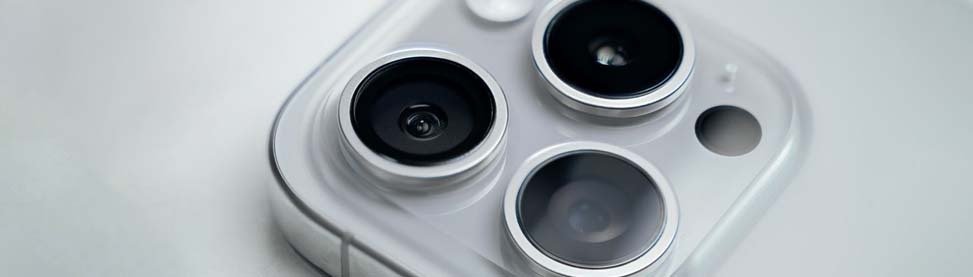
Fixing Your iPhone Camera: Real Reasons and Solutions
It is very frustrating when your camera stops working or doesn’t cooperate at the time when you need it the most. Moreover, it takes blurry pictures or crashes when you are about to click on any picture. There coulde me many cases why it works like that. Knowing about the reason can solve half of the problems. If you want to fix this issue, let the experts of CellPhones4Sure fix it all and restore it to optimal functioning. We use premium replacement parts and fast repair in without any hassle. Along with that, we will also let you know about why to choose us and how we fix your issue with excellence.
Why Your iPhone Camera Won’t Work: Causes and Fixes
There could me main reason which lead to the failure of your iPhone’s camera. They can be related to either the software or the hardware. Our experts will inform you about the 10 main reason which hinders the camera from working and clicking impressive pictures.
Camera App Won’t Open
- Pain: Tapping the camera app does nothing.
- Cause: Due to a software glitch, iOS bug, or low storage on your device.
- Fix: You need to free up the space and forcibly close the application. Making some space in the storage can let you camrea work properly
The camera shows a Black Screen
- Pain: The camera opens, but only shows black.
- Cause: something blocks the lens from focusing, or there could be an internal fault.
- Fix: Clean the lens carefully with a microfiber cloth, restart your iPhone, and if it persists, professional repair may be necessary.
Front Camera Not Working
- Pain: Selfies and video calls fail or show a black screen.
- Cause: a glitch in the hardware or the software to perform.
- Fix: Restart your iPhone immediately, or if the problem is still there, then visit a reliable store to solve the hardware problem.
Blurry or Out-of-Focus Photos
- Pain: Every photo you take comes out blurry.
- Cause: Having dust or fingerprints on the lens, which makes the software misfocus to click picture.
- Fix: Reset the camera settings and clean the lens properly. If the problem persists, bring it to the expert repair store.
Camera Freezes During Use
- Pain: The camera freezes mid-photo or video.
- Cause: Overheating, conflicts with other apps, or a minor iOS bug.
- Fix: You need to cool your iPhone down by closing the app running in the background. However, it requires professional repair if it freezes frequently.
Camera Flash Not Working
- Pain: the flash doesn’t work at the time you click any picture.
- Cause: This can be a hardware problem, a setting that’s turned off, or an iOS glitch.
- Fix: Check the flash settings, restart your iPhone, and repair if hardware is at fault.
Zoom Function Not Working
- Pain: The pinch-to-zoom or telephoto lens doesn’t respond.
- Cause: Hardware malfunction or iOS glitch.
- Fix: Restart iPhone, update iOS, or repair the telephoto lens if damaged.
Motherboard Failure Affecting Camera
- Pain: The camera app doesn’t work or cooperate at the time.
- Cause: There is a glitch in the motherboard of your iPhone
- Fix: Restart your iPhone, or if the problem persists, bring it to CellPhones4Sure to fix the issue.
iPhone Camera Issues: Causes and Solutions Table
| Problem | Common Cause | Quick Fix |
| The camera app won’t open | Software glitch | Restart the app, update iOS |
| Black screen | Hardware or app issue | Restart iPhone, clean lens |
| Blurry photos | Dirty lens, misfocus | Clean lens, reset camera settings |
| Front camera not working | Software bug or hardware | Restart iPhone, update iOS |
| Camera freezes | Overheating, app conflict | Close apps, cool device, restart |
| App crashes when taking photos | Corrupt cache, iOS glitch | Restart, clear cache, update iOS |
| Dark or overexposed photos | Lens obstruction, settings | Clean lens, reset settings |
| The camera focus keeps changing | Lens misalignment, software | Tap to focus, restart, repair |
| Flash not working | Hardware or settings | Check settings, restart, repair |
| Zoom not working | Telephoto hardware or iOS bug | Restart, update iOS, repair lens |
When to Visit CellPhones4Sure for iPhone Camera Repair
There are some signs your iPhone needs repair; you must visit our device repair store without any delay. We make sure to give you the best solution for any issue you are facing with your iPhone’s camera.
- Persistent black screen
- Blurry photos despite cleaning the lens
- App crashes or freezes frequently
- Flash or Zoom doesn’t work
- Physical damage to the camera area
Why Choose CellPhones4Sure?
At CellPhones4Sure, you will get reliable and professional iPhone camera repair services without any hassle. Whether it needs a repair or replacement of any part, we restore it to working order.
- Experienced certified technicians
- Genuine parts for reliable fixes
- Same-day repairs available
- 90-day warranty on repairs
- Affordable repair options
How We Fix Your iPhone’s Camera:
- Full Diagnostic: We carefully inspect your iPhone to identify the exact issue.
- Clean & Inspect: Lens and camera module are cleaned and checked for damage.
- Repair or Replace: Faulty components are fixed or replaced using genuine parts.
- Test Functionality: Photos, videos, Zoom, and flash are thoroughly tested.
- Quality Check: Final check ensures your camera works perfectly before you leave.
Get Your iPhone Camera Working Again Today
FAQs
Why is my iPhone camera clicking blurry pictures all the time?
This problem can have many reasons, but you need to check the lens and clear the dust or fingerprints on it. They are the main causes!
How do I fix a black screen in my iPhone camera?
Restart your iPhone, clean the lens, and update iOS. Persistent black screens need professional inspection.
Can a software update fix my iPhone camera?
Yes, software updates often resolve glitches and app issues affecting your camera.
Where can I get the best iPhone camera repair services?
CellPhones4Sure Plano and Richardson offer certified technicians, genuine parts, and fast repairs.
Is it safe to get my iPhone camera repaired at CellPhones4Sure?
Yes, you will find the highly trained and professional staff at our store. Moreover, they are equipped with the modern tools to provide you excellence repair services.
How long does iPhone camera repair take?
The time of fixing your iPhone depends on the issue it has. Worry not! You will get the fastest turnaround and services for iPhone camera repair.
Conclusion
iPhones are known for their high-resolution camera; however, it can cause a great headache when the camera is not working. Whatever the issue it has, you need to repair it at the earliest. If you wnat to repair your device, visit CellPhones4Sure and let our professionals clean the lens and fix the sensor with excellence. Moreover, whether you are in Plano or Richardson, whenever you search for the iPhone camera repair service, you will find our store as the ultimate solution. Whether it needs a repair or replacement of any part, we make sure to provide you with the top-notch part backed by a 90-day hassle-free warranty.