
You are in the middle of something important. Maybe a work project. Maybe a video call. Then out of nowhere, your MacBook Air restarts on its own. No warning. No explanation. Just gone.
It is one of the most frustrating things a Mac user can face. And if it keeps happening again and again, you already know something is wrong. The good news is that this problem has real causes and real solutions.
This guide will walk you through exactly why your MacBook Air keeps restarting, what you can try at home, and when it is time to get a professional involved. If you are in the North Texas area, our team at CellPhones4Sure offers MacBook repair service with same-day service on most issues.
Why Does This Keep Happening? The Real Causes
Before you can fix the problem, you need to understand what is causing it. MacBook Air restarts can come from two places the software side or the hardware side. Sometimes it is both.
Here is a breakdown of the most common culprits:
1. Your macOS Software Has a Problem
Software issues are the most common cause of random restarts and the easiest to fix at home.
Your Mac may be restarting because of:
- An outdated macOS version that has known bugs
- Corrupted system files that got damaged during an update or shutdown
- Two apps conflicting with each other in the background
- A failed or incomplete update that left your system in a broken state
The pain point: You updated your Mac and now it is worse than before. You didn’t break anything the update did. This happens more often than Apple would like to admit.
The fix: Go to System Settings → General → Software Update. Install any pending updates. If the restarts started after a recent update, check Apple’s forums for known issues with that version. Sometimes rolling back or waiting for a patch is the answer.
If updates don’t help, corrupted system files may need a deeper clean. That is where professional help becomes useful. Our team handles MacBook running slow and crash issues that are tied to software problems like these.
2. Your MacBook Air Is Overheating
Heat is the enemy of every computer. When your Mac gets too hot, it shuts itself down to protect the internal parts. That looks just like a random restart.
Overheating usually happens because:
- Dust is blocking the vents this builds up over time without you noticing
- The internal fan is not spinning correctly you may hear it, or not hear it when you should
- You are running heavy apps for long periods video editing, gaming, streaming all at once
- The thermal paste has dried out this is an internal material that helps keep the processor cool, and it wears out over years of use
The pain point: Your MacBook gets hot to the touch within minutes of turning it on. The fan sounds like it is working overtime. And then restart.
The fix: Start by making sure your vents are not blocked. Do not use your Mac on a bed or pillow. Keep it on a flat, hard surface. If that does not help, the issue is likely internal dust buildup or a fan problem. This pairs closely with situations where your MacBook shuts down suddenly without warning the root cause is often the same.
Cleaning the inside of a MacBook Air requires disassembly. If you are not comfortable doing that, bring it in rather than risk damaging something.
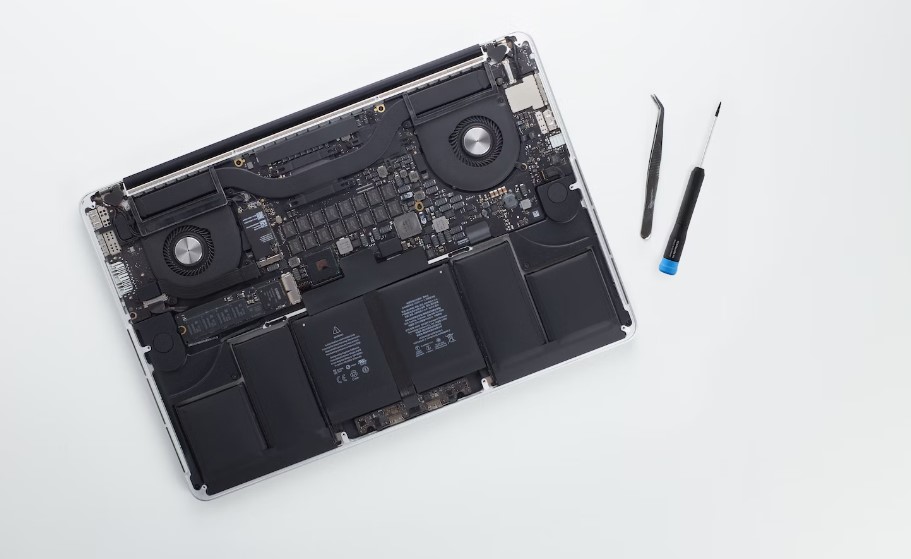
3. A Hardware Component Is Failing
When software fixes do not work, the restart problem is almost always coming from the hardware. This is the more serious category but it is also very fixable with the right help.
Common hardware causes include:
- Failing SSD storage drive your Mac cannot read or write data properly, causing crashes
- Faulty RAM modules bad memory causes the system to crash under load
- Logic board damage the main circuit board has a damaged component
- Loose internal connections a connector came loose from a drop or over time
The pain point: You have tried everything. Software updates, resetting settings, even reinstalling macOS. It still restarts. That is the clearest sign something physical is wrong inside.
The fix: RAM testing, SSD diagnostics, and logic board checks require professional tools. These are not jobs for a YouTube tutorial and a screwdriver. Our logic board repair specialists use board-level soldering and component-level diagnostics to find and fix exactly what is wrong without replacing parts that do not need replacing.
4. Malware or a Security Threat
This one surprises a lot of Mac users. The common belief is that Macs cannot get viruses. That is not true anymore.
Malicious software can cause:
- Unexpected restarts while running in the background
- System crashes triggered by rogue processes
- Slow performance as malware uses up your CPU
- File corruption that damages your operating system
The pain point: You downloaded something from the internet a free app, a plugin, a file someone sent you. Now your Mac is acting strange in ways it never did before.
The fix: Run a reputable malware scanner. Apple’s own Malware Removal Tool runs automatically, but it does not catch everything. If you suspect a deep infection, a professional can run advanced security scans and remove what your tools cannot find.
Overview Table: Restart Causes at a Glance
| Cause | What You’ll Notice | Can You Fix It at Home? |
| Outdated macOS | Restart after update, slow apps | Yes, update your software |
| Corrupted system files | Startup errors, apps crashing | Sometimes may need OS reinstall |
| Overheating | Hot body, loud fan, fast shutdowns | Partly clean vents; fan needs a tech |
| Faulty RAM | Crashes during heavy tasks | No need for diagnostic and replacement |
| Failing SSD | Slow boot, data errors | No professional replacement needed |
| Malware infection | Strange behavior, unknown processes | Sometimes depends on the severity |
| Logic board damage | Sudden restart loops with no pattern | No board-level repair required |
What Happens When a Professional Repairs Your Mac
If home fixes did not work, here is exactly what a trained technician does when you bring your MacBook Air in:
Step 1: Full System Diagnostic
The technician starts with a complete diagnostic not guessing. This covers hardware testing, software scans, and performance analysis together. The goal is to find the exact cause, not just treat symptoms.
Step 2: Data Backup First
Before any repair starts, your data is protected. Restart loops can put files at risk, so technicians back up your important data before touching anything. If your drive is already failing, data recovery happens at this stage.
Step 3: Software Repair (If That Is the Cause)
If the problem is software, the fix may include updating macOS, repairing corrupted files, removing problem apps, or reinstalling the system cleanly. These solutions often restore your Mac without any hardware work at all.
Step 4: Hardware Repair (If Needed)
When hardware is the issue, the technician replaces or repairs the specific component: the SSD, RAM, cooling system, or logic board. Our team provides dedicated Apple computer repair in Plano for all Mac models, using quality replacement parts matched to your specific machine.
Step 5: Malware Removal
If a security threat is found, advanced tools remove it completely not just the visible files, but the deeper system processes too. Security settings are strengthened before the Mac goes back to you.
Step 6: Full Testing Before Return
Your Mac goes through stress testing, performance checks, and stability monitoring before it leaves the shop. The technician confirms it runs cleanly through the exact conditions that were causing the restarts.
The Real Benefits of Going Professional
Here is why bringing your Mac to a certified repair shop beats trial-and-error at home:
You get the right diagnosis, not just a guess. Home fixes often treat symptoms. Professionals find root causes.
Your data stays safe. Repair attempts without proper backup have led to permanent data loss for many users. Professionals back up before they begin.
Repairs are faster than you think. Most common issues are resolved same-day. You are not without your Mac for a week.
Everything is covered by a warranty. A repair from a professional shop comes with warranty protection. If the problem comes back, so does the technician at no extra cost.
You only replace what actually needs replacing. Technicians do not upsell parts you do not need. Diagnostic tools tell them exactly what is wrong.
When Should You Stop Troubleshooting and Visit a Repair Shop?
Some situations go beyond what home fixes can solve. Here are the clear signs it is time to come in:
- Your MacBook Air restarts more than once per day with no pattern
- The restart happens during startup, before the desktop even loads
- You see a black screen or a spinning wheel before each restart check our guide on the Mac screen goes black fix for what that could mean
- Your Mac is getting very hot even during light tasks like browsing
- Startup error messages appear before the Apple logo loads
- You cannot access your files or your drive is making strange noises
- You have already tried a full macOS reinstall and it is still happening
Any one of these signs means the problem is beyond a software update. Do not keep restarting your Mac hoping it fixes itself. Each forced restart while a hardware issue is active can make the underlying damage worse.
Is Repair Worth It, or Should You Buy a New Mac?
This is the question most people ask. The honest answer is: repair is almost always cheaper and smarter unless your Mac is very old or physically destroyed.
A logic board repair costs a fraction of a new MacBook. A RAM replacement is even less. And in most cases, a repaired Mac will perform just as well as a new one, especially if it was working perfectly before the restart issue started.
Before you decide, ask yourself: do you really need to upgrade your MacBook, or is a professional repair the smarter move? Most of the time, repair wins.
Get Your MacBook Air Fixed Today in Plano or Richardson
Unexpected restarts are stressful. But they are almost always fixable and usually faster than you expect.
At CellPhones4Sure, our certified technicians handle MacBook Air issues every day. From software glitches and overheating problems to RAM failures and logic board repairs, we find the exact cause and fix it right the first time. Every repair comes with transparent pricing, no hidden fees, and warranty coverage you can count on.
Visit our smart device repair store in Plano, TX, or our Richardson location, no appointment needed. Walk in, describe what is happening, and we will take it from there.
Frequently Asked Questions
Why does my MacBook Air keep restarting after a macOS update?
Updates sometimes introduce software conflicts or corrupt system files. Running the latest available update, clearing cache files, or doing a clean reinstall usually resolves this. If it persists, the issue may be deeper than the software layer.
Can overheating permanently damage my MacBook Air?
Yes. Repeated overheating cycles degrade internal components over time, particularly the logic board and storage drive. Addressing overheating early prevents much more expensive repairs later.
How long does a MacBook Air repair take at CellPhones4Sure?
Most common repairs including software fixes, RAM replacements, and SSD swaps are completed the same day. Logic board repairs may take longer depending on the specific component involved.
Do I need to back up my Mac before bringing it in?
If your Mac can still boot and function, backing up beforehand is a smart move. If you cannot boot it at all, our team handles data backup and recovery as part of the repair process.
Is there a warranty on MacBook repairs?
Yes. All repairs at CellPhones4Sure come with warranty coverage. If the same issue returns within the warranty period, we fix it at no additional charge.