
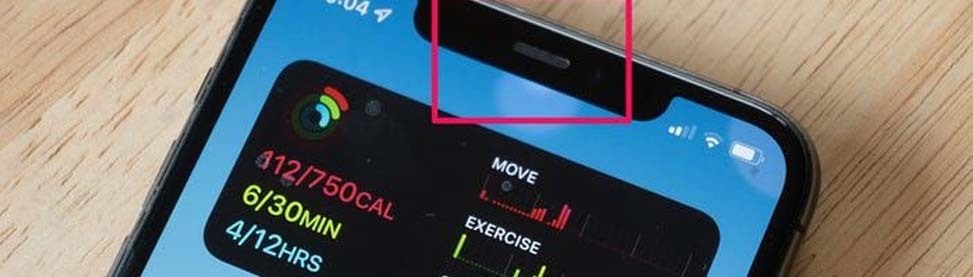
Has your iPhone microphone stopped working during calls? It is very frustrating as you can miss some important calls or an interview. To fix the problem, you need to know the possible causes for this issue. In this blog, we will inform you about all the causes and how to fix them. Whether the issue is related to the software or the hardware, to fix the issue professionally, you will find the expert technicians of CellPhones4Sure in Plano & Richardson. Whether it needs a repair or replacement of any part, we fix them all with excellence.
10 Common Reasons Your iPhone Microphone Stops Working During Calls
Some mistakes iPhone user make while using their iPhone, which lead to these complications. Getting to know the reason for the trouble can solve half of the problem itself. Here are the 10 most common causes why the iPhone microphone stops working.
Blocked by Dirt or Case
Pain: Nobody hears you during calls.
Cause: Dust, lint, or a phone case blocking the microphone.
Software Glitches or iOS Bugs
Pain: The microphone works sometimes but fails at other times.
Cause: Minor iOS bugs, pending updates, or software glitches.
App-Specific Microphone Issues
Pain: Mic works on call but not on any other apps like WhatsApp & more.
Cause: There could be the possibility that the app was not granted permission.
Bluetooth Connection Interference
Pain: Calls go through a Bluetooth device instead of the iPhone mic.
Cause: Headphones or car systems are automatically routing audio.
Physical Damage from Drops or Water
Pain: The microphone stops working completely or creates a muffled sound.
Cause: Whether you have dropped it in water or on any hard surface.
Obstructed Receiver or Earpiece
Pain: The other person hears a muffled voice.
Cause: Dirt or debris in the receiver or microphone openings.
Faulty Charging Port
Pain: Calls cut out, or the mic behaves oddly.
Cause: Damaged port or third-party cables interfering with mic function.
Too Many Background Apps
Pain: The microphone seems unresponsive.
Cause: Apps running in the background are taking priority over call audio.
Incorrect Audio Settings
Pain: Your voice is not transmitted or traced through the Mic.
Cause: Audio is routed to the speaker, headphones, or any other device.
Internal Hardware Malfunction
Pain: The microphone is not working at all.
Cause: Broken mic connector or internal component failure.
Quick Fixes You Can Try at Home
There are some problems that you can fix at home without visiting any iPhone repair store in Plano and Richardson.
Clean Your Microphone
You need to clean the microphone opening with a brush, a cloth, or any other tools.
Restart Your iPhone
Restart your iPhone, as many problems are solved with restarting the whole device.
Update iOS
Go to Settings → General → Software Update and install any pending updates to fix bugs.
Check App Permissions
Go to Settings → Privacy → Microphone. Ensure apps like FaceTime, WhatsApp, or Messenger have permission to use the mic.
Disconnect Bluetooth Devices
Turn off the Bluetooth and connect it again in order to get connected completely. Sometimes these options work.
Test the microphone in Voice Memos.
Record a voice memo or video to check clarity. This helps identify if the problem is hardware or app-specific.
Reset All Settings
To Settings option → General setting option→ Transfer phone or Reset iPhone choice → Reset → click on Reset All Settings.
Close Background Apps
Double-tap the Home button or swipe up and close apps using the mic. Background apps can sometimes block mic access.
Inspect Lightning Port and Accessories
Remove damaged or third-party cables. Use Apple-certified accessories to prevent mic interference.
Visit CellPhones4Sure for Professional Repair
If none of these fixes work, the problem might be with the hardware. For those issues, you need to visit the reliable iPhone microphone repair store in Plano and Richardson. CellPhones4Sure is here to provide you with the best solutions:
Schedule Your Repair Today
When to Visit CellPhones4Sure
If home fixes don’t work, your iPhone likely has a hardware issue. Signs it’s time to visit CellPhones4Sure in Plano or Richardson:
- The microphone is completely silent during calls.
- Distorted, muffled, or inconsistent sound.
- History of water exposure or physical damage.
Don’t wait until it gets worse: bring your iPhone to CellPhones4Sure today!
Why Choose CellPhones4Sure
Our experts will also provide you with phone speaker not working tips to prevent you from any future errors. At our store, you will not only find the repair service but also a peace of mind, as our restoration services are linked with the features given below:
- Experienced technicians
- Fast, reliable service
- Premium parts
- Affordable pricing
Comparison Table of Common Microphone Issues and Fixes
| Problem | Cause | Quick Fix | Need Professional Repair? |
| Mic blocked by dirt | Dust/lint | Clean mic, remove case | Rarely |
| iOS bug | Software glitch | Restart, update iOS | No |
| App issue | Permissions/settings | Check permissions, reinstall the app | No |
| Bluetooth interference | Connected device | Disconnect Bluetooth | No |
| Physical damage | Drop/water | – | Yes |
| Receiver blocked | Dirt | Clean receiver | Rarely |
| Faulty accessories | Cables/ports | Inspect/remove | Sometimes |
| Background apps | Apps using the mic | Close apps | No |
| Audio settings | Wrong routing | Adjust routing | No |
| Internal hardware | Component failure | – | Yes |
Book Your Repair Now
You don’t need to wait; if your iPhone microphone isn’t functioning, visit CellPhones4Sure today in Plano or Richardson for fast, professional repairs. Get your iPhone back to working perfectly!
FAQs
Where can I find the best iPhone microphone repair store in Plano and Richardson?
Visit CellPhones4Sure in Plano or Richardson. Expert technicians, genuine parts, and fast repairs.
How do I perceive whether my microphone problem is related to the hardware or the software?
Test with Voice Memos or Camera. Works sometimes → software. Doesn’t work at all → hardware.
How long does microphone repair take at CellPhones4Sure?
Most repairs take 30–60 minutes at our Plano and Richardson locations.
Can water damage cause iPhone microphone failure?
Yes. Even small amounts of moisture can damage the mic. Immediate repair at CellPhones4Sure can prevent further issues.
How do I test if my iPhone mic is working properly?
Record a Voice Memo or video, or make a call/FaceTime to check clarity.
Conclusion
A malfunctioning iPhone microphone is a great headache as you cannot talk on the call or attend any interview. To get rid of this issue, you can either fix it yourself or visit a professional repair store like CellPhones4Sure. Before you fix the issue, you first have to get to know the reason for this trouble. Once you know the reason, it will be easy to fix it. However, if you want to get professional iPhone repair services in Richardson & Plano, just count on us!