
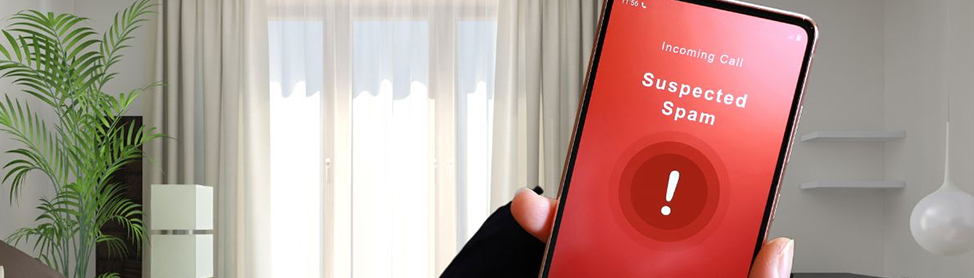
Spam calls aren’t just annoying; they’re also a distraction, and often an unauthorised access, and in some cases, they can even be dangerous scams. In 2026, spam callers are smarter than ever, but the good news is that Android and iPhone users now have numerous ways to block them from calling and texting. This guide from Cellphone4sure explains how to block spam calls, why it’s important, and when you should get professional help to make things as easy as possible.
Why You’re Getting So Many Spam Calls (The Problem)
Spam calls typically occur when your phone number is picked up by an internet robot and then sold to data brokers, or leaked to unsavoury websites and third-party apps. Some calls are robocalls, and others are scam attempts posing as banks, delivery services, or tech support.
Users often attempt to block numbers on their own but get nowhere, as spam calls continue to come from new or hidden numbers. This problem is usually best resolved by a professional repair or through the phone company, especially where settings, apps, or system updates are concerned.
What Happens If You Ignore Spam Calls (The Risk)
Ignoring spam calls can lead to:
- Falling victim to phone scams or fraud.
- Sharing personal or financial information by mistake.
- Constant interruptions during work or rest.
- Reduced phone performance due to a malicious call or spam apps.
Spam calls can also point to larger problems like mistuned settings or unsafe apps over time, and these are best attended to by trained professionals.
How to Block Spam Calls on iPhone
Step 1: Turn On Silence Unknown Callers
- Go to Settings
- Tap Phone
- Select Silent Unknown Callers
- Turn it ON
This sends unknown numbers straight to voicemail.
Step 2: Enable Call Blocking and Identification
- Open Settings
- Tap Phone
- Go to Call Blocking and Identification
- Enable all trusted spam filters
Step 3: Use Trusted Spam Filter Apps
Apple allows third-party call blockers that help identify spam before it rings.
If you’re still receiving spam calls after trying all this, our technicians at Cellphone4sure can run a diagnostic on your settings, fix the current iOS software, or even remove troublesome apps.
How to Block Spam Calls on Android
Step 1: Enable Built-In Spam Protection
- Open the Phone app
- Tap the three dots (menu)
- Go to Settings
- Turn on Spam and Call Screen or Block spam calls
Step 2: Block Specific Numbers
- Open Recent Calls
- Tap the spam number
- Select Block / Report spam
Step 3: Use Google or Carrier Spam Filters
Most Android phones now include advanced spam detection powered by Google or your network provider.
If spam calls don’t stop, the issue is often resolved faster by a professional repair service that can inspect system settings or software issues.
When Blocking Isn’t Enough
Sometimes spam calls keep coming because of:
- Incorrect phone settings
- Outdated software
- Malware or risky apps
- Network-related issues
In these cases, a professional phone repair or service center like Cellphone4sure can help by:
- Optimizing call and privacy settings
- Removing unsafe apps
- Updating system software safely
- Advising on long-term spam protection
You don’t have to deal with it alone; help is available.
Final Thoughts
Spam calls are a common problem, but they don’t have to control your phone. With the right settings on Android and iPhone, most spam can be blocked easily. And when the problem feels overwhelming or keeps returning, professional repair services exist to fix it properly. For reliable phone help, trusted guidance, and expert solutions, Cellphone4sure is always here to help keep your device secure and stress-free.
FAQs
Why am I getting more spam calls after changing my SIM or phone number?
New numbers are often recycled, and previous owners may have shared them online. This can cause a sudden rise in unwanted calls from unknown sources. A professional service can help adjust network and call-screening settings for better control.
Can spam calls come from messaging or social apps?
Some apps sync contacts or allow call access without users realizing it. This may expose your number to third-party platforms. At Cellphone4sure, our team will review app permissions and secure your privacy settings.
Why do spam calls start after installing new apps?
Certain apps collect or share phone numbers in the background. This increases exposure to marketing calls and scam attempts. Worry not! Our trained technicians can identify unsafe apps and suggest safer alternatives.
Does voicemail spam relate to spam calls?
Some of these spam calls will leave a silent or robotic voicemail over and over. This can fill storage and cause you to miss important messages. We’ll carefully configure voicemail filters and clean up unnecessary data from your device.
Why do spam calls happen more often at night or odd hours?
Automated dialling systems often run during off-peak hours to avoid detection. Late-night calls can cause stress and make it easier to fall for scams when tired.